

Alibarbar Products: Complete 2026 Range Guide

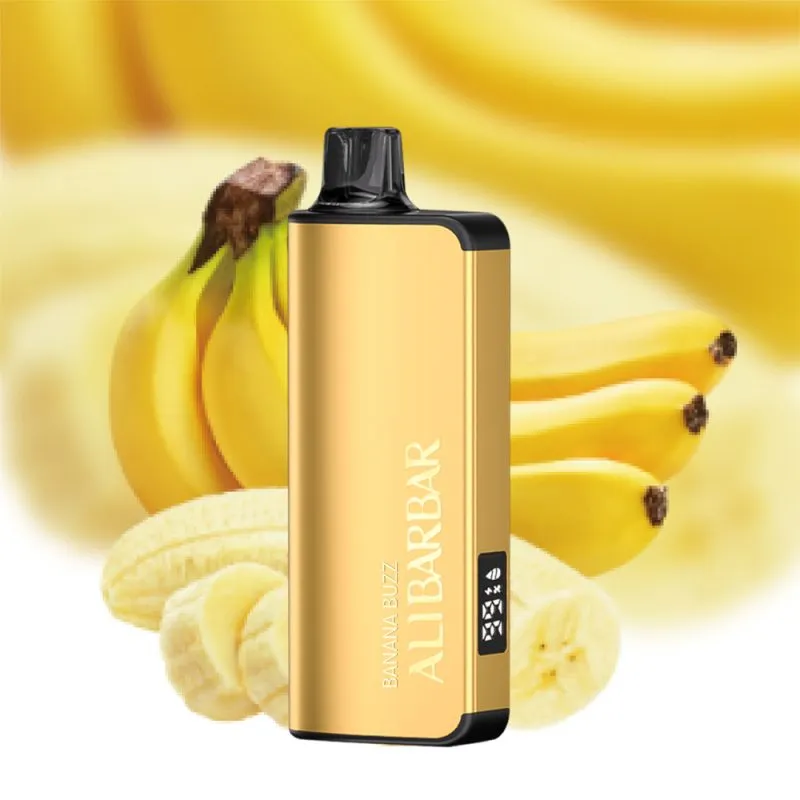
Alibarbar products cover several labelled models, including Ingot 9000, Ingot 20000, Upload and ICE ADJUST. This range guide is a practical comparison for Australian authorised buyers: it explains the differences visible in the supplied listings, shows how to choose a product record and links directly to the relevant pages.
The best starting point is the model number, not a broad category label. Confirm the exact name, current specification sheet, package count and delivery requirements. The same brand can contain models with different dimensions, power arrangements, displays and stated output, so a careful comparison protects both the buyer and the provider.
Alibarbar products compared
| Model | Key listing details | What to confirm |
|---|---|---|
| Ingot 9000 | 22 mL capacity, 2350 mAh built-in battery, up to 9,000 puffs, LED display, 103 × 40 × 26 mm. | Labelled option, 1.2 Ω coil record and non-rechargeable format. |
| Ingot 20000 | Up to 20,000 puffs, rechargeable Type-C format, LED display, 103 × 40 × 26 mm and 90 g. | 18-style listing or mystery-style note, package seal and current batch. |
| Upload | Up to 25,000 puffs, 13 styles, two modes, high-definition screen and Type-C port. | Screen included, 101 g package detail and app-related instructions. |
| ICE ADJUST | Compact rechargeable format with adjustable cooling control and multiple labelled options. | Current dimensions, package contents and provider specification sheet. |
Which page should an Australian buyer use?
Use a specific product page when the model and labelled option are already known. Use the Alibarbar brand collection when comparing the complete set. The Alibarbar category is useful for browsing, while this guide gives the context needed to interpret the listing values.
How to build a clean order record
- Copy the full product name exactly as shown on the provider record.
- Record the model number and labelled option separately.
- Check capacity, output indication, power arrangement, dimensions and package count.
- Confirm stock, destination and applicable Australian requirements.
- Keep the invoice, package image and receiving note together.
Product pages for quick comparison
Open the model pages below for the most specific information:
- Alibarbar Ingot 9000 Banana Buzz
- Alibarbar Ingot 9000 Blackberry Ice
- Alibarbar Ingot 9000 Blackberry Pomegranate Cherry
- Alibarbar Ingot 9000 Blueberry Blast
Care, storage and support
Store sealed units in a dry, cool place away from direct sun. Do not dispatch a damaged package or alter a device. If a display, seal or model label does not match the order, contact the authorised provider before fulfilment. The Alibarbar Ingot 9000 guide provides a deeper model-specific checklist.
Compliance context
Australian supply rules can change and may differ by product type and jurisdiction. Review the TGA compliance information and obtain professional guidance where needed. This page does not replace a current authorisation, provider record or legal advice.
Choosing a model by handling needs
For Alibarbar products, start with the information the receiving team actually needs. Ingot 9000 is the compact non-rechargeable format with a 22 mL capacity and LED display. Ingot 20000 is the rechargeable Type-C format with a higher stated output. Upload adds a separate screen and two modes. ICE ADJUST focuses on adjustable cooling control. These distinctions are descriptive only; the current package and provider record decide what can be supplied.
How to prevent model mix-ups
Keep the model number in its own field on a quotation or spreadsheet, then store the labelled option beside it. Avoid shortening “Ingot 20000” to “20000” when several brands are handled in the same warehouse. For Upload, record whether the screen is included. For ICE ADJUST, save the current specification sheet because the listing does not state every measurement.
Comparing capacity and output claims
Capacity and stated output are different fields. Capacity describes the supplied measurement on the listing, while a puff figure is an indication rather than a promise of an identical result for every user. Keep both fields visible, add the date checked and do not convert them into a performance guarantee. This wording keeps the product record precise and avoids overstatement.
Internal links that help buyers
The Alibarbar Ingot 9000 guide explains one model in depth, while the Vapes Australia information guide covers delivery and verification steps. Link from a product page to the brand and category hubs, then return to a specific model page when a reader needs a specification. This structure keeps every important Alibarbar product discoverable without creating thin tag pages.
Keeping the range guide fresh
Review the comparison after a supplier update, a packaging change or a change to Australian requirements. Check that the AUD price shown by the store matches the current catalogue and that out-of-stock products are clearly labelled. If a model is permanently retired, preserve its record only when it remains useful to existing customers and apply the site’s normal redirect policy. Keeping Alibarbar products records current also helps buyers find the right model.
Use this comparison as a record-keeping aid. Confirm current product and delivery details before accepting an Australian order.
How to compare Alibarbar vapes Australia listings
When comparing Alibarbar vapes Australia listings, start with the model number and then read the supporting fields. A higher stated output does not describe every part of a device, and a rechargeable format has different handling notes from a non-rechargeable one. Record capacity, output indication, power arrangement, dimensions, package contents and the exact option label before comparing prices.
The phrase Alibarbar range Australia can cover a brand archive, a category page or a particular model. The archive is useful for discovery, but the product page and current provider record should decide what is actually ordered. This distinction keeps a broad search term from being mistaken for a stock or compliance statement.
Planning a wholesale order
For business buyers, the cleanest process is to build a short line-by-line order sheet. Give each line one full product name, one option label and one quantity. Add the current AUD reference, stock status, provider, destination and a date checked. If several models are in the same quotation, keep Ingot 9000, Ingot 20000, Upload and ICE ADJUST on separate lines. That small amount of structure prevents a model being substituted because two names look alike.
- Choose the model page from the Alibarbar brand collection.
- Copy the name and labelled option exactly as shown.
- Compare the current specification with the sealed package record.
- Confirm destination, delivery route, provider and any applicable requirement.
- Save the quotation, invoice and receiving note together.
What to do when a model is out of stock
An out-of-stock page can still help an existing buyer identify a model, but it should not imply immediate availability. Keep the status visible, link to a comparable in-stock option only when the comparison is accurate and ask the buyer before changing the line item. If a model is permanently retired, follow the site redirect policy rather than leaving a blank product shell that continues to attract clicks.
Use each page for the question it answers
The Alibarbar Ingot 9000 guide explains one model in depth. This range guide is for side-by-side selection, while the Vapes Australia information guide covers destination and verification steps. Linking between those pages gives a reader a clear path without relying on thin product tags.
Reviewing the comparison after a supplier change
Update the table when a supplier changes a package, display, power arrangement or stated output. Keep the previous record with the order history and add the date of the new check. Also confirm that the price is still shown in AUD and that availability labels are consistent across the brand archive, category page and product page. Clear dates make the guide easier for a human buyer to trust and easier for a search system to interpret.
Using the range guide after a stock check
Use this Alibarbar products guide after the current stock record has been checked. It keeps Alibarbar products in a consistent model-and-option format, which makes a quotation easier to reconcile with a sealed package. When comparing Alibarbar products across several models, retain the provider date beside each specification rather than assuming an earlier listing still applies.
Reading each Alibarbar products record consistently
- Keep the Alibarbar products model number separate from the labelled option.
- Use the Alibarbar products specification only with its current provider date.
- Match the Alibarbar products carton label to the quotation before receiving stock.
- Review the Alibarbar products delivery note alongside the destination requirement.